
Enterprise Mobile Device Management (MDM) Software
Manage, secure, and monitor Android, Windows, macOS, iOS, and Linux devices from a single platform with Quantem mobile device management software. Simplify device enrollment, enforce security policies, deploy applications, and automate device management at scale while giving IT teams complete visibility and control across every endpoint.
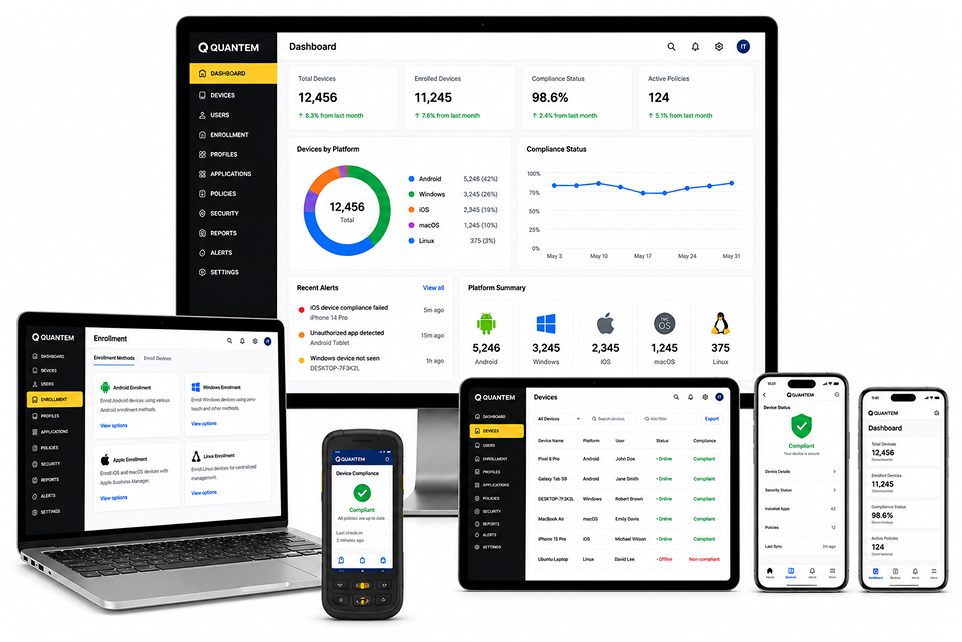
MDM Solution For Enterprise Device Lifecycle Management
Manage the complete device lifecycle with an MDM solution, from enrollment and provisioning to deployment, management, and secure retirement.
01
Enrollment
Enroll devices quickly using automated, zero-touch, QR code, IMEI/Serial Number, and browser-based enrollment methods. Reduce setup time, eliminate manual configuration, and get devices ready for users in minutes.
02
Provisioning
Configure devices with business applications, security policies, Wi-Fi, VPN settings, certificates, and restrictions during initial setup. Ensure every device is fully configured before it reaches employees or frontline teams.
03
Deployment
Deploy devices to employees, departments, shared workspaces, guest rooms, classrooms, retail stores, or field teams with predefined configurations. Standardize deployments across locations while minimizing IT effort.
04
Management
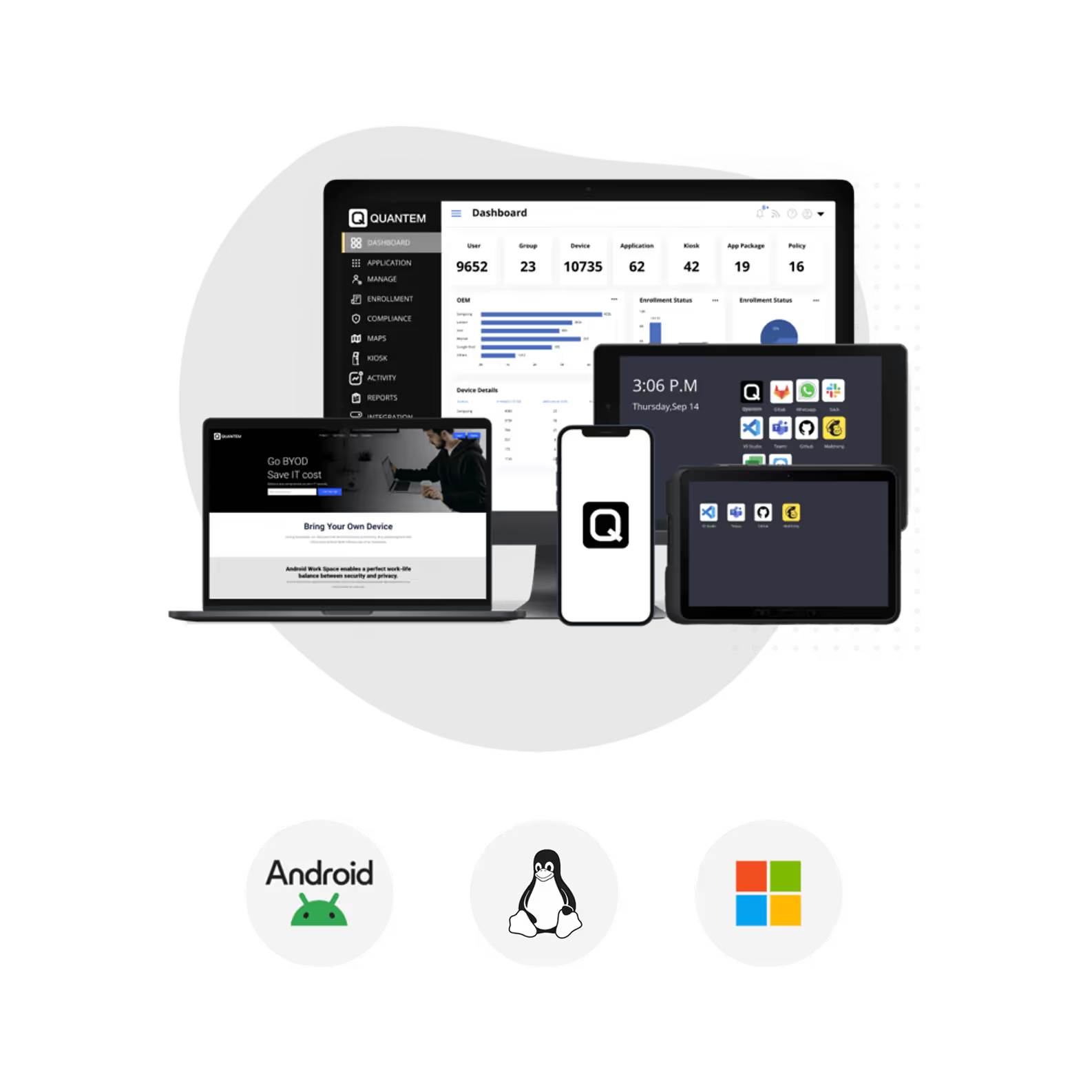
Monitor device health, enforce security policies, manage applications, configure settings, and maintain complete visibility across your device fleet from a unified management dashboard.
05
Retirement
Retire or repurpose devices securely by removing corporate data, revoking organizational access, and resetting configurations. Prevent unauthorized access while preparing devices for reassignment or disposal.

One Unified MDM Solution for Every Operating System
Manage every business device with Quantem's unified mobile device management solution. Secure and manage Android, Windows, iOS, macOS, and Linux devices from a single platform.
Android Device Management
Securely manage Android smartphones, tablets, rugged devices, kiosks, and digital signage from a centralized dashboard. Automate device provisioning, enforce security policies, and deliver business applications while maintaining complete control over every Android deployment.
- Automate Android device provisioning.
- Enable zero-touch enrollment at scale.
- Restrict unauthorized applications and settings.
- Configure Wi-Fi and VPN remotely.
- Track device status from one console.

Windows Device Management
Simplify Windows device management across desktops, laptops, and hybrid work environments. Deploy devices faster, maintain security compliance, and manage applications, updates, and configurations without increasing IT workload.
- Provision devices with minimal IT effort.
- Enforce endpoint security configurations.
- Manage remote and hybrid work devices.
- Deploy applications and patches centrally.
- Gain complete device inventory visibility.
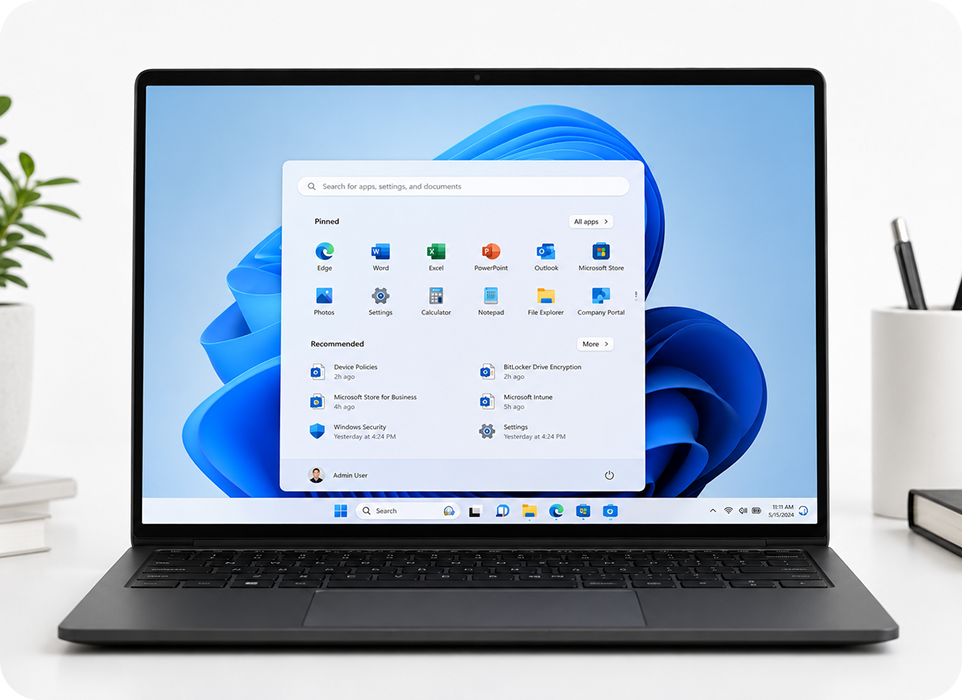
macOS Device Management
Manage iPhones and iPads with centralized controls designed for modern businesses. Streamline enrollment with Apple Business Manager, secure corporate data, and remotely configure devices to deliver a consistent user experience.
- Manage iPhones and iPads centrally.
- Streamline Apple Business Manager enrollment.
- Control app installations and permissions.
- Push updates and configurations remotely.
- Support BYOD and company-owned devices.

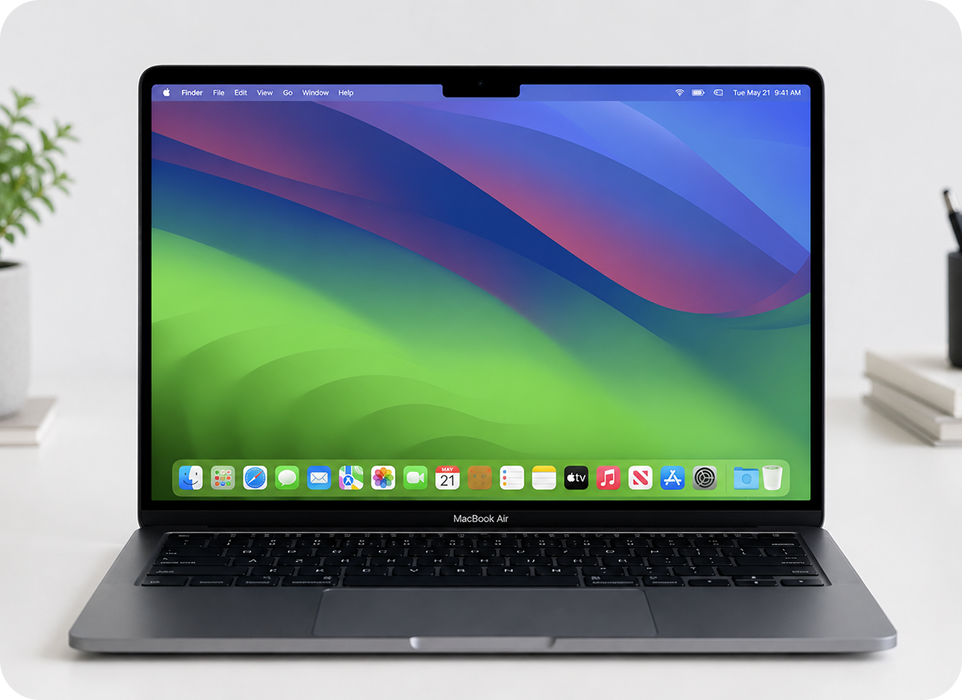
macOS MDM Software
Manage Apple devices such as MacBooks, iMacs, and other macOS devices from a unified dashboard with complete visibility and control. Secure business data, automate device management, and simplify Mac administration without disrupting employee productivity.
- Manage MacBooks and iMacs centrally.
- Streamline Apple Business Manager enrollment.
- Control app installations and permissions.
- Push updates and configurations remotely.
- Support BYOD and company-owned devices.
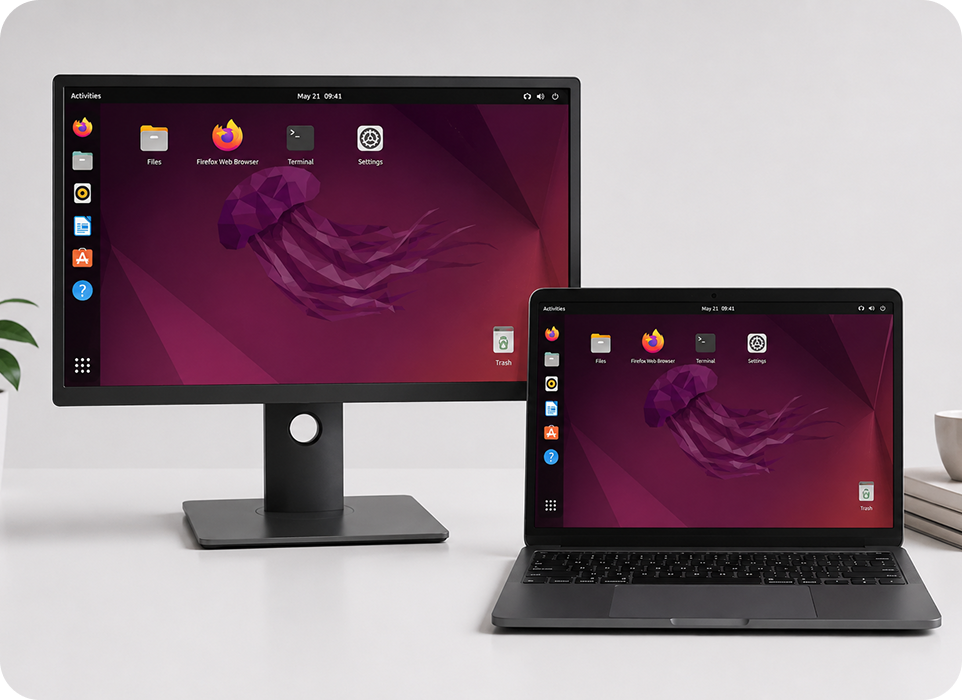
Linux MDM Software
Manage Linux laptops, desktops, POS systems, kiosks, and IoT devices running Ubuntu, Debian, Fedora, RHEL, and other major distributions from one platform. Automate administration, maintain security, and simplify Linux device management across distributed teams.
- Support Ubuntu, Debian, Fedora, and RHEL devices.
- Deploy configurations and security policies remotely.
- Manage Linux devices from a centralized dashboard.
- Automate software updates and maintenance tasks.
- Monitor device health and compliance at scale.
Deploy Devices Faster with Flexible MDM Enrollment Methods
Simplify device onboarding with flexible MDM enrollment methods. Enroll devices quickly, securely, and at scale with minimal IT effort.

Zero-Touch Enrollment
Automate device provisioning from the moment users power on their devices. Devices are automatically enrolled, configured with business policies, and ready for use without requiring IT intervention.

QR Code Enrollment
Enroll Android devices instantly by scanning a QR code during setup. It's a fast and efficient enrollment method for businesses deploying devices in bulk without additional infrastructure.

Browser-Based Enrollment
Allow users to securely enroll their devices through a web browser in just a few steps. This flexible method is ideal for remote employees, contractors, and BYOD deployments without requiring physical access to the device.

IMEI/Serial Number-Based Enrollment
Pre-register devices using their IMEI or serial number before deployment. As soon as users activate their devices, the correct configurations, policies, and applications are automatically applied.
Complete Device Management Starts Here
Bring device management, security, application deployment, and compliance together on one platform designed for modern enterprises.
MDM Key Features
Enterprise Features for Complete Device Management
Simplify device management with enterprise-grade features for security, automation, and centralized control. Quantem MDM helps IT teams efficiently manage every device.

Unified Dashboard
Manage devices, applications, content, and policies from a single, intuitive dashboard. Gain complete visibility into your device inventory with real-time insights, centralized controls, and analytics that help you monitor your entire fleet more efficiently.

Custom Branding
Personalize managed devices with your organization's branding to deliver a consistent user experience. Customize wallpapers, logos, lock screens, and device settings to reinforce your corporate identity across every deployment.

Groups & Subgroups
Organize devices into groups and subgroups based on departments, locations, business units, or use cases. Apply policies, configurations, and applications to multiple devices simultaneously, simplifying large-scale device management.

Device Encryption
Protect sensitive business data with built-in encryption support, including File-Based Encryption, BitLocker, and FileVault. Secure corporate information even if devices are lost, stolen, or compromised.

Automated Workflows
Automate repetitive IT tasks with scheduled workflows and policy-based actions. Reduce manual effort by automating routine device management tasks, helping your team save time and improve operational efficiency.

Password Policies
Enforce strong password policies that align with your organization's security requirements. Configure password complexity, expiration rules, lockout settings, and authentication requirements to protect business devices against unauthorized access.

Device Restrictions
Control how managed devices are used by restricting applications, hardware features, network access, and system settings. Disable Bluetooth sharing, AirDrop, iCloud backups, USB access, and other features to strengthen device security.

Certificate Management
Deploy and manage digital certificates remotely without user intervention. Simplify certificate distribution while enabling secure authentication, encrypted communications, and trusted access to enterprise resources.

Browser Management
Create a secure browsing experience by controlling browser settings and restricting access to non-business websites. Enforce safe browsing policies to improve productivity and reduce exposure to web-based threats.

Custom Payloads
Deploy custom configurations and platform-specific settings that meet your organization's unique requirements. Push custom payloads instantly to managed devices without relying on complex manual configurations.

Analytics & Reporting
Track device health, compliance, application usage, screen time, OS updates, location, and user activity through detailed reports and real-time dashboards. Make informed IT decisions with actionable insights across your device fleet.

Remote Wipe
Protect corporate data by remotely wiping lost, stolen, compromised, or retired devices. Remove business data instantly while preventing unauthorized access, regardless of where the device is located.
Purpose-Built Business Devices with Kiosk Mode
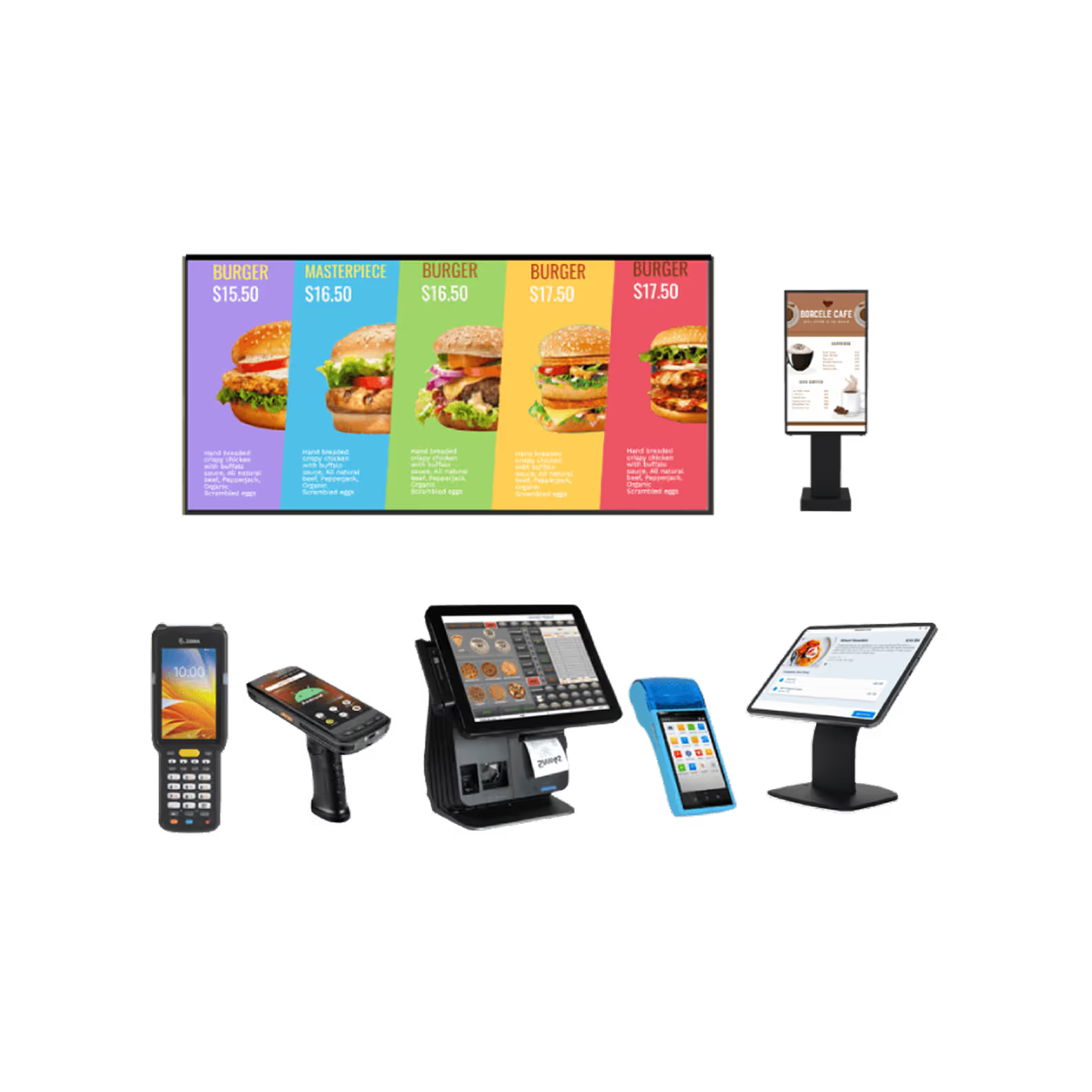
Turn everyday devices into business-ready kiosks with Quantem MDM platform. Lock devices to approved apps, restrict unnecessary features, and keep users focused on the task at hand.
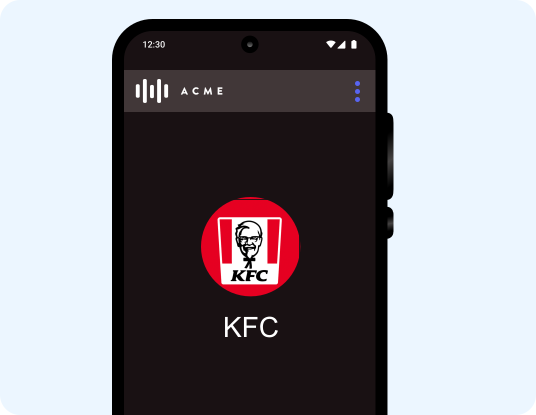
Single App Mode
Convert smartphones, tablets, and kiosks into dedicated business devices by locking them to a single approved application. Ideal for self-service kiosks, visitor check-ins, digital signage, point-of-sale systems, and other task-specific deployments where security and simplicity are essential.
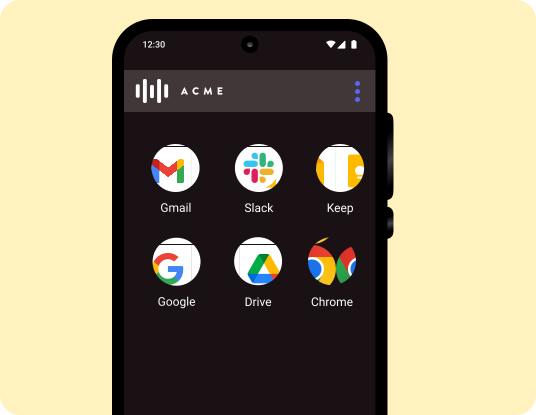
Multi-App Mode
Provide controlled access to multiple approved business applications while blocking everything else. Employees can seamlessly switch between essential work apps without distractions, giving them the flexibility they need while keeping devices secure and compliant.
Create Secure Kiosk Experiences with Quantem MDM
Productivity and Protection with BYOD Management
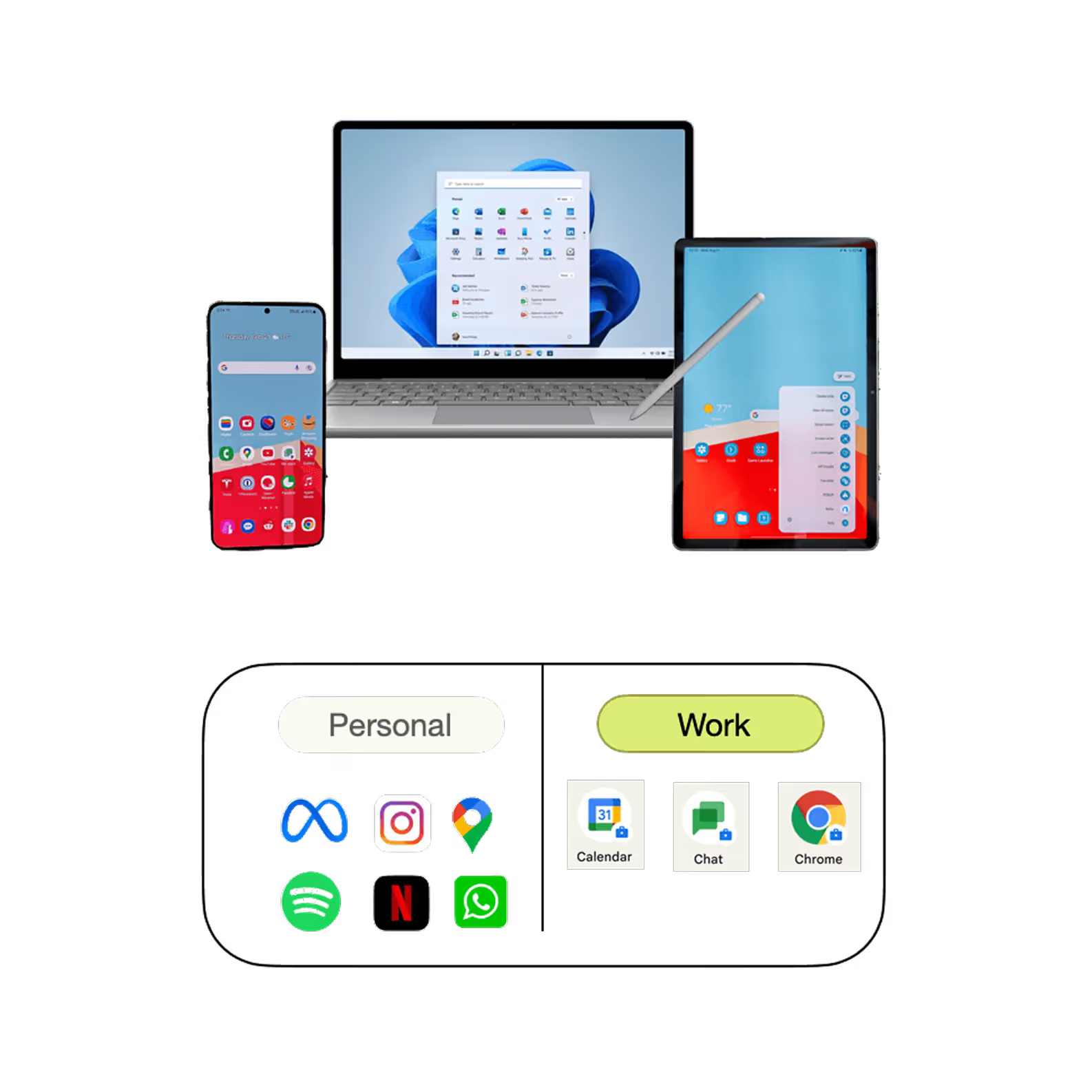
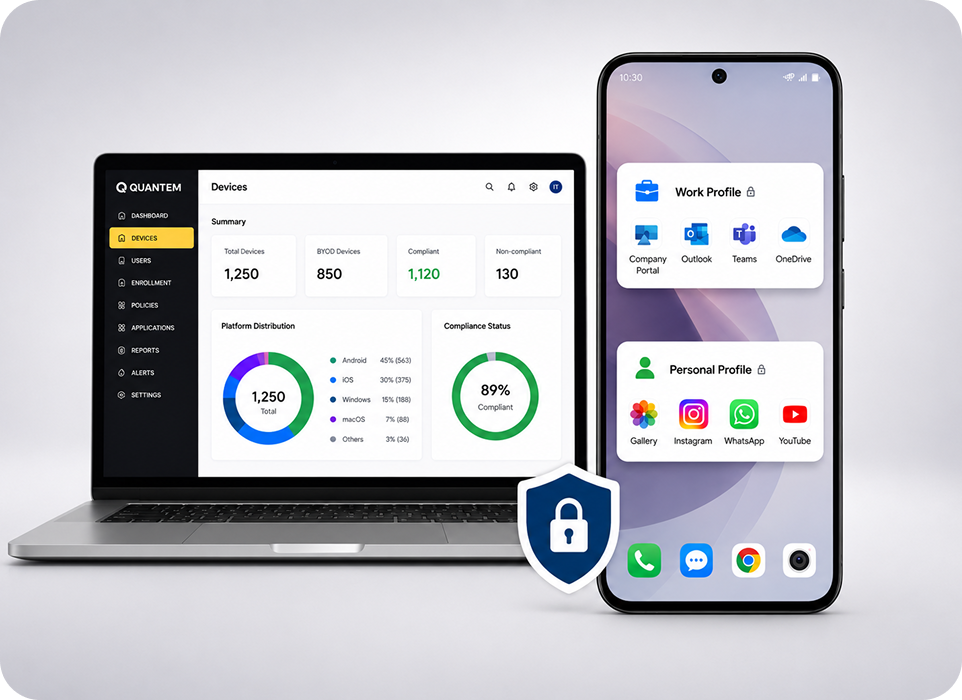
Keep employees productive on their preferred devices while securing business data with Quantem mobile device management solution. Separate work and personal data with privacy built in.
- Protect corporate data by remotely wiping only business information when a device is lost, compromised, or an employee leaves the organization.
- Apply ownership-based security policies across BYOD and company-owned devices while respecting employee privacy.
- Boost workforce productivity with secure access to business apps, email, and corporate resources on employees' preferred devices.

Deploy, Manage, & Update Apps With Application Management
Simplify application deployment with Quantem MDM solution. Remotely deploy, configure, update, and manage business apps while ensuring every device has the right applications.
- Deploy apps from Google Play, Apple App Store, PWAs, or your enterprise app catalog. Securely distribute both public and in-house applications.
- Automate app updates with silent installations, scheduled deployments, and instant rollbacks to keep devices running approved versions.
- Configure apps remotely by pushing app settings, permissions, and configurations to every device without user intervention.
Content Management for Every Managed Device
Distribute business content securely with Quantem MDM solution’s content management capabilities. Keep teams updated with the latest files from one centralized dashboard.
- Distribute business content remotely to managed devices without relying on third-party file-sharing tools.
- Publish, update, or remove content instantly to ensure users always have access to the latest business information.
- Deliver presentations, documents, images, and media files securely across your device fleet while maintaining centralized control.


Automate Device Management with Custom Scripts
Automate routine tasks using custom scripts. Create, deploy, and run scripts remotely to simplify administration and standardize device configurations.
- Create and deploy custom scripts to automate repetitive tasks and streamline device administration.
- Push custom payloads remotely to configure devices with organization-specific settings and policies.
- Build dynamic scripts that adapt to different devices, users, or deployment scenarios without managing separate scripts for each endpoint.
OS Update & Patch Management to Keep Devices Up to Date
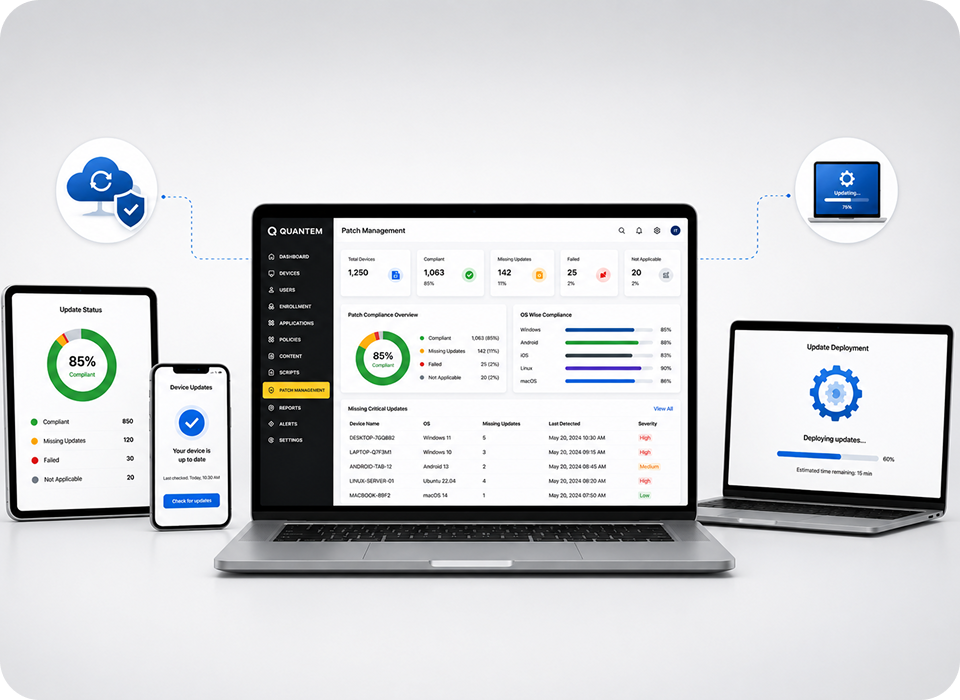
Keep devices secure, compliant, and up to date with automated patch management. Remotely deploy OS, security, and driver updates while tracking update status across your device fleet.
- Automate OS, software, and driver updates across all operating systems from a centralized dashboard.
- Schedule patch deployments during maintenance windows to minimize disruption and ensure business continuity.
- Monitor patch compliance with real-time reports that help identify missing updates and vulnerable devices.
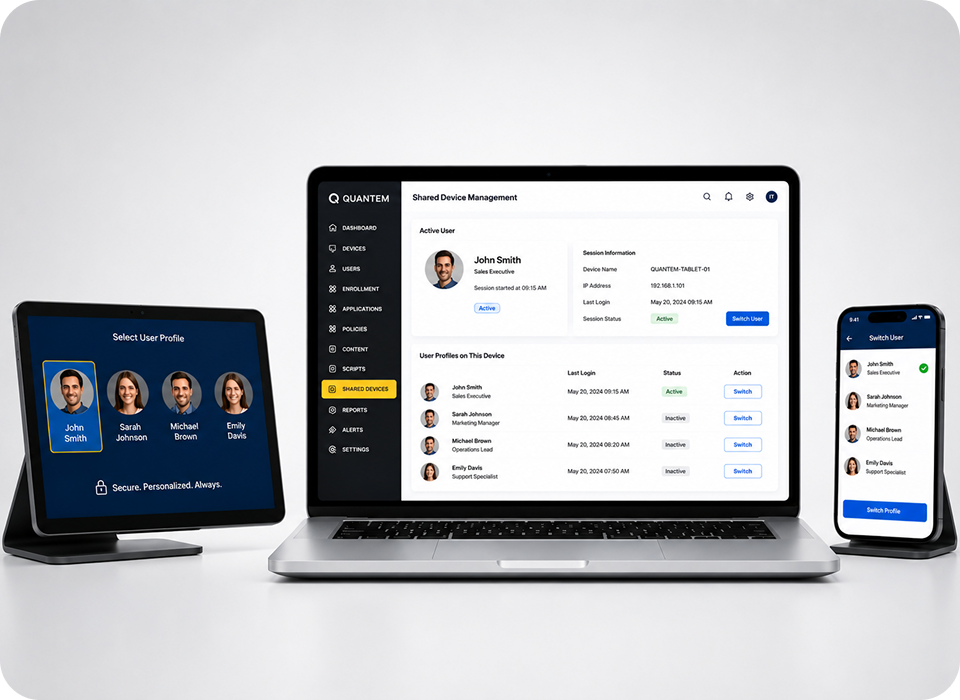
Shared Device Management for Multi-User Workplaces
Reduce hardware costs with shared device management. Enable multiple users to securely share devices while automatically applying the right apps, policies, and permissions.
- Enable seamless device sharing between multiple users without requiring password sharing or manual reconfiguration.
- Apply user-specific policies and permissions automatically based on the active user to deliver a personalized experience.
- Switch profiles dynamically to ensure each user accesses only the apps, settings, and data relevant to their role.
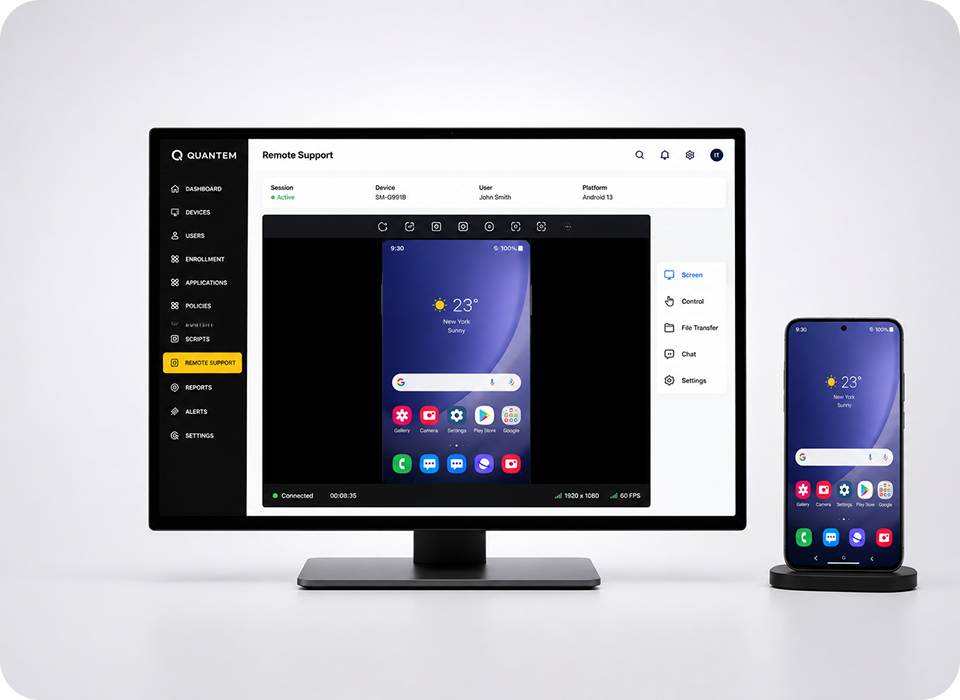
Remotely Troubleshoot Devices Without Touching Them
Resolve device issues faster with Quantem MDM solution’s remote troubleshooting capabilities. View device screens, diagnose problems, and provide remote assistance to minimize downtime.
- Mirror device screens remotely to quickly identify and resolve issues without requiring physical access.
- Reduce device downtime by troubleshooting and fixing problems in real time from a centralized dashboard.
- Support remote users anywhere with secure remote access that helps IT teams deliver faster issue resolution.
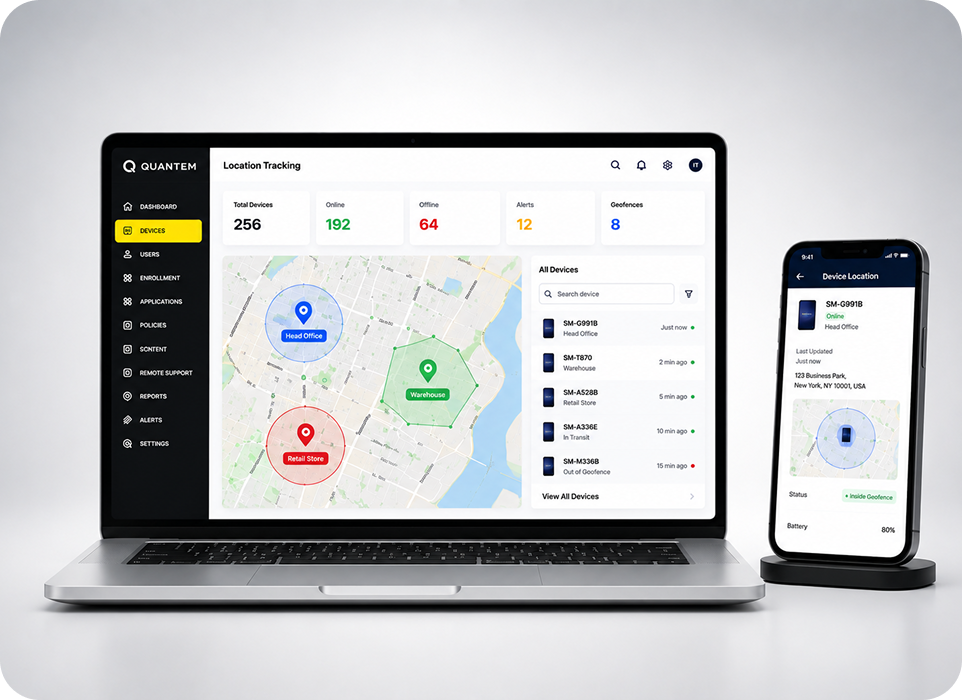
Track Your Assets with Location Tracking & Geofencing
Improve device visibility by monitoring locations in real time, enforcing location-based policies, and receiving instant alerts with our MDM solution.
- Track device locations from a centralized dashboard with real-time visibility across your entire device fleet.
- Create geofences around offices, warehouses, retail stores, and other business locations to strengthen asset control.
- Receive instant alerts whenever devices enter or exit designated areas, helping prevent loss, theft, or unauthorized movement.
MDM Software Built for Every Industry
No matter your industry, Quantem mobile device management solution helps secure, manage, and optimize business devices while simplifying IT operations.

Education
Empower digital learning by managing student, teacher, and shared classroom devices from a single dashboard. Deliver secure, distraction-free learning with controlled app access, kiosk mode, and centralized device management.

Healthcare
Protect patient data and securely manage clinical devices across hospitals, clinics, and healthcare facilities. Enforce security policies, support compliance initiatives, and provide authorized access to critical healthcare applications.

Retail
Equip store associates with secure, purpose-built devices for POS, inventory management, and customer service. Simplify multi-store device management while improving productivity and protecting business applications.

Hospitality
Manage guest-facing and staff devices across hotels, restaurants, and resorts from one centralized platform. Secure booking systems, streamline operations, and ensure reliable device performance across every location.

Logistics
Support warehouse teams, drivers, and field employees with securely managed mobile devices. Improve fleet visibility, simplify device deployments, and keep operations running efficiently across distributed teams.

Non-Profit Organizations
Enable secure access to business applications and organizational resources for staff and volunteers. Protect sensitive donor information while simplifying device management with limited IT resources.
Why Choose Quantem MDM Solution for Enterprise Device Management?
From seamless device management to enterprise-grade security, Quantem MDM provides everything businesses need to manage and secure their device fleet.

Ease of Use
Get started in minutes with an intuitive interface designed for both IT administrators and business users. Manage devices effortlessly with centralized controls, actionable insights, and a minimal learning curve.

Pay as You Grow
Scale your deployment at your own pace with transparent, flexible pricing. Pay only for the devices you manage without unnecessary licensing complexity.

Reliable Performance
Keep mission-critical devices running with a highly reliable platform built for business continuity. Minimize downtime and ensure consistent performance across your entire device fleet.

Seamless Integrations
Connect Quantem with your existing HR, ITSM, communication, and security tools to streamline workflows and simplify device management across your organization.

Compliance Ready
Meet your security and privacy requirements with a platform built for enterprise compliance. Quantem helps organizations support SOC 2, GDPR, and CCPA compliance initiatives.

Complimentary Premium Support
Get expert assistance whenever you need it with onboarding guidance, product training, and responsive technical support from the Quantem team.
Experience Enterprise Device Management the Quantem Way
Frequently Asked Questions (FAQs)
tool and a Unified Endpoint Management tool?